Self-hosted deployment control plane for DevOps teams — eliminate Vercel/PaaS lock-in and own your infrastructure.
v1.5.22 Production Ready
WatchTower · Open Source DevOps Control Plane
Ship apps to your servers. Own your infrastructure. Cut deployment costs by 60–80%.
WatchTower replaces Vercel, Netlify, and platform-as-a-service solutions by putting deployment control in DevOps hands.
Register apps in one place, deploy to your own nodes via SSH, monitor containers in real time, and manage everything
from a unified dashboard — without handing control to a vendor or paying $50+ per app.
Self-hosted, multi-node, 60–80% cost savings. Preview slots, blue-green deploys, auto-rollback on health checks.
CI/CD Integration
GitHub webhooks + API
Push to main → GitHub → WatchTower API → Auto-build → Auto-deploy. Or use the CLI for manual control.
Infrastructure Stack
6-tool integration
Podman → Nginx → Tailscale → Cloudflare → Coolify → WatchTower Watchdog. All on your servers.
High Availability
HA + Mesh Topology
Primary + standby nodes. Auto-restart on reboot (watchdog). Encrypted inter-node comms (Tailscale). Zero downtime deploys.
Self-Hosted
Own your infrastructure entirely
Deploy to your own Linux nodes via SSH. No vendor lock-in, no surprise bills. Control where data lives. Use your existing Podman/Docker stack.
Autonomous
Containers survive reboots
WatchTower Watchdog automatically restarts all containers after server reboots or crashes. No manual intervention. Perfect for production.
Observable
Single pane of glass
Live deployment status, container health, node connectivity, and runtime integrations (Podman, Nginx, Tailscale, Cloudflare) all in one dashboard.
Pick Your Starting Point
Choose the path that matches what you want to do. Each one leads to the right section below.
Deploy an app
Applications + Setup Wizard
Register your app, add an SSH node in Servers, run the Setup Wizard, and ship your first release in Applications.
Manage a host
Servers + Host Connect
Add your server in the Servers page, then use Host Connect to install Podman, Tailscale, Cloudflare, or Nginx on it.
Invite the team
Settings + Team Management
Set up GitHub OAuth under Settings, then manage org/team membership from the Team page to grant access.
🚀 DevOps Use Cases & Benefits
How DevOps teams use WatchTower to eliminate vendor lock-in, reduce costs, and own their infrastructure.
📊 Cost Reduction
Vercel: $20–60/month per app + databases. Multiple apps = $500–2000/year.
WatchTower: ~$5–20/month for your entire infrastructure. One Linux server handles unlimited apps. Saves $480–1900/year per team.
Formula: Your infrastructure cost (VPS + networking) vs PaaS subscription. Pays for itself after 1–2 months.
🔒 Infrastructure Ownership
No Vendor Lock-In: Apps run in Podman/Docker on your servers. If WatchTower disappears, your apps keep running.
Data Residency Control: Ideal for healthcare, finance, or regulated industries. Data never leaves your infrastructure.
Custom Integration Stack: Combine Podman + Nginx + Tailscale + Cloudflare + Coolify + WatchTower exactly as you need it.
⚡ Production Reliability
Auto-Restart Watchdog: Containers auto-recover after PC/server reboot — no manual intervention. Perfect for unattended deployments.
HA Setup: Primary + standby nodes with automatic failover. Zero-downtime blue-green deploys.
Multi-Node Deployments: Push one button, deploy to 3 regions simultaneously. All from one dashboard.
Health Checks: Auto-rollback if health check fails. No bad deployments go live.
🛠️ For DevOps Teams
CI/CD Ready: GitHub webhook integration. Push to main → auto-build → auto-deploy. Or trigger manually via API.
Team Collaboration: GitHub OAuth login. Multi-user dashboard. Deployment audit trail.
Integrations Page: Single pane of glass for Docker, Podman, Tailscale, Cloudflare, Nginx, Coolify status.
No Learning Curve: If you know SSH, Git, and Podman, you already know WatchTower. Same concepts, unified UI.
🌍 Multi-Region & Hybrid Cloud
Deploy anywhere: AWS EC2, Digital Ocean, Hetzner, your own data center, or a mix of all three.
Tailscale mesh: All nodes communicate securely without public IPs. Encrypted, no firewall drama.
Cloudflare tunnel: Expose apps to the internet with DDoS protection. Keep nodes private.
Database flexibility: PostgreSQL in Podman, RDS on AWS, or managed services — all managed from one place.
Vercel vs WatchTower — Quick Comparison
Cost savings and feature parity at a glance. See the full comparison in VERCEL_ALTERNATIVE.md.
Feature
Vercel
WatchTower
Cost (3 apps)
$60–150/month
$5–20/month
Infrastructure
Vercel-managed (no control)
Your servers (complete control)
Multi-node deploys
Enterprise plan only
Built-in from day 1
HA + auto-failover
Enterprise only
Free, included
Auto-restart on reboot
N/A (FaaS model)
Watchdog service
Data residency
Vercel's regions
Your choice
Vendor lock-in risk
High (proprietary)
None (open source)
Integration stack
Limited
6-tool suite included
Note: Costs based on single Linux VPS (~$5/month) + WatchTower (free) vs Vercel's published pricing. Actual savings depend on your app count and scale.
Visual Blueprint
Every screen, at a glance
A wireframe overview of each page in WatchTower — what it shows and what you can do there.
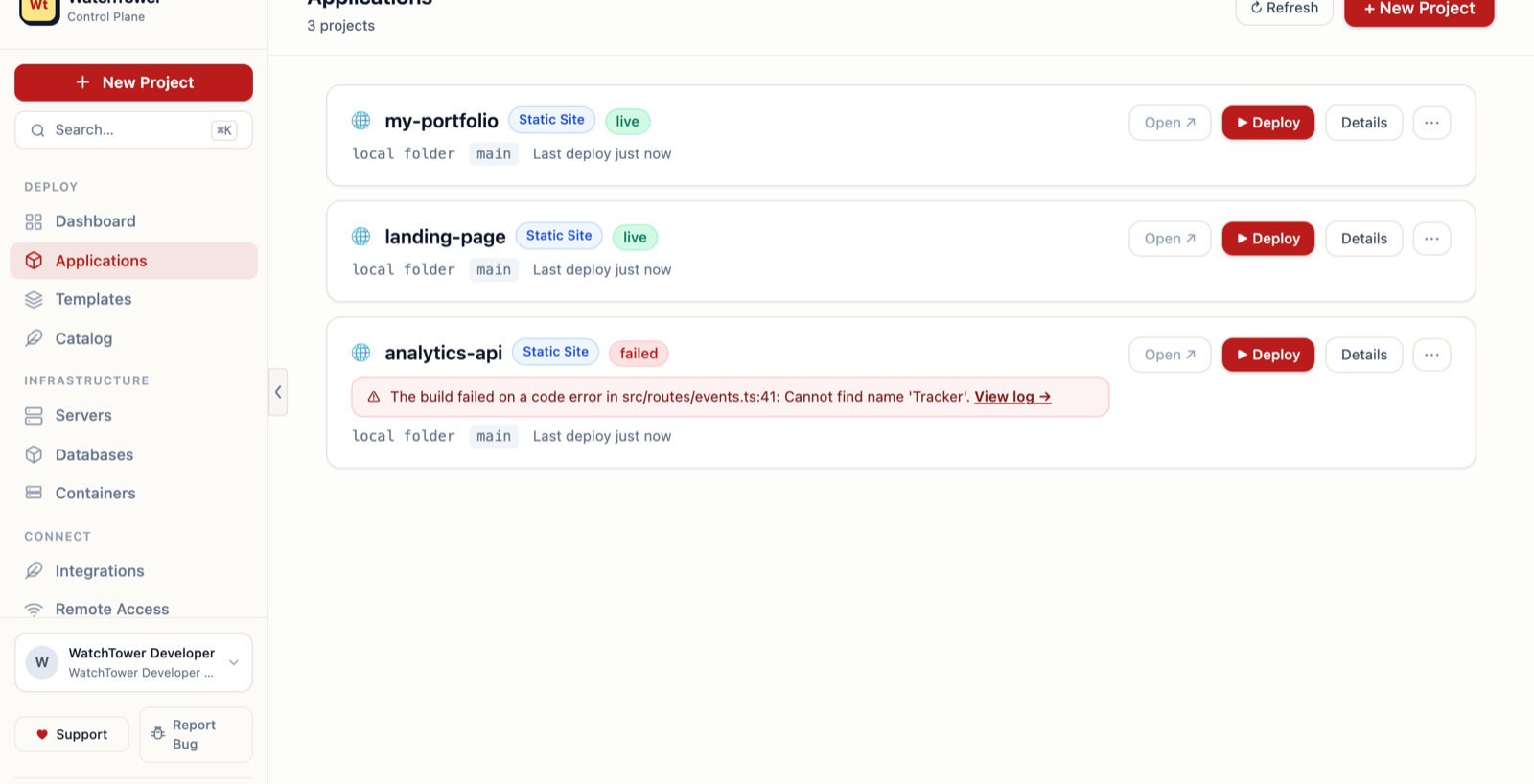
Manage every app registered in WatchTower. Each entry shows source (GitHub repo or local folder),
last deploy status, assigned nodes, and a one-click deploy button.
What you can do here
Deploy: Trigger a new release to all assigned nodes with the current branch tip.
Rollback: Revert to the previous successful deployment in one click.
Preview deploy: Ship a branch to a preview URL before promoting to live.
Edit config: Update build command, output directory, and environment variables.
Deployment models
Netlify-like static + functionsnative
Vercel-like SSR / edgenative
Containerised apps via Podman/Dockernative
GitHub source or local foldernative
Servers
Register and manage the SSH nodes WatchTower deploys to. Each node record stores the hostname,
SSH user, port, remote app path, and reload command.
Node fields
Host: IP address or hostname reachable over SSH.
User: SSH user — defaults to deploy.
Remote path: Where apps are placed, e.g. /opt/apps/watchtower.
Reload command: Runs after deploy, e.g. sudo systemctl reload caddy.
Organisation
Primary node flagnative
Concurrent deploy limit per nodenative
SSH key path confignative
Nodes scoped to orgnative
Host Connect
Guided onboarding for each host in your fleet. Host Connect auto-detects installed tools
(Podman, Docker, Tailscale, Cloudflare, Nginx) and provides step-by-step install plans.
Supported tools
Podman / Docker: Runtime detection and rootless container setup.
Cloudflare Tunnel: Zero-trust domain routing without firewall changes.
Nginx: Auto-generate reverse proxy config for deployed apps.
Secure terminal
Allow-listed commands onlynative
Encrypted audit lognative
Policy-gated sudonative
No raw shell exposurenative
Databases & Services
Manage database connections and background services alongside app deployments.
WatchTower tracks local Podman-managed databases and remote managed endpoints in one view.
Local DBs
Podman containers
Postgres, MySQL, Redis and more as rootless Podman containers with configurable resource limits.
Remote DBs
Managed cloud endpoints
Register connection strings from external providers. Stored encrypted and injected as env vars at deploy time.
Services
Background workloads
Register workers, crons, and long-running services. Monitor state and link them to the app that depends on them.
Auth & Team Management
Two auth modes that can coexist: GitHub OAuth for team access with org/team role gating,
and a static API token for solo and automated use.
Auth options
GitHub OAuth: Sign in with GitHub. Org and team membership gate access.
API token: Set WATCHTOWER_API_TOKEN, send as Bearer from scripts or the VS Code extension.
Dev mode:WATCHTOWER_ALLOW_INSECURE_DEV_AUTH=true for local development without credentials.